2.2 Project Management
The Project Dashboard is the first screen you see after logging in. It shows the overall status of your services at a glance.
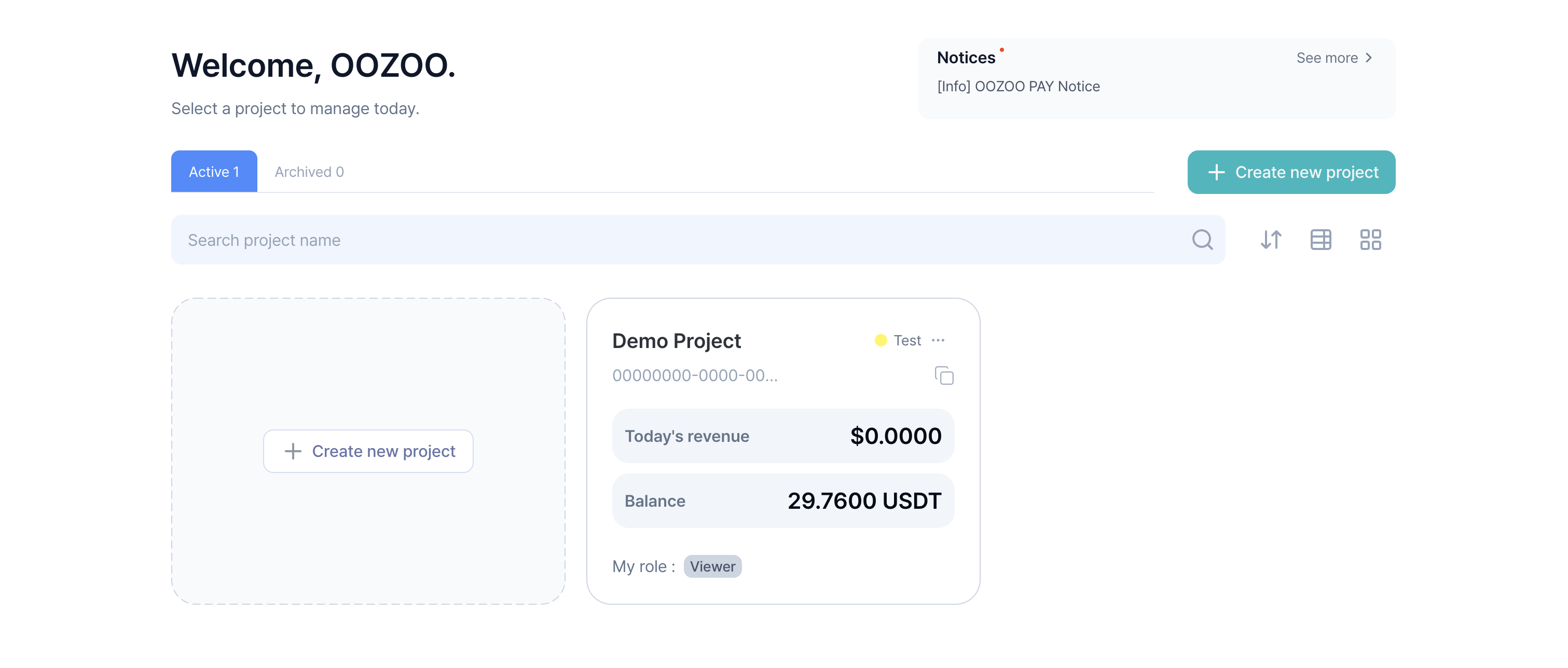
1. Project Information
- You can view the basic information of your created projects.
- Active : List of projects currently in operation.
- Inactive : List of projects with payment features suspended.
2. Creating a New Project
- You can create a new project to use payment features.
- Simple information input is enough to create a project.
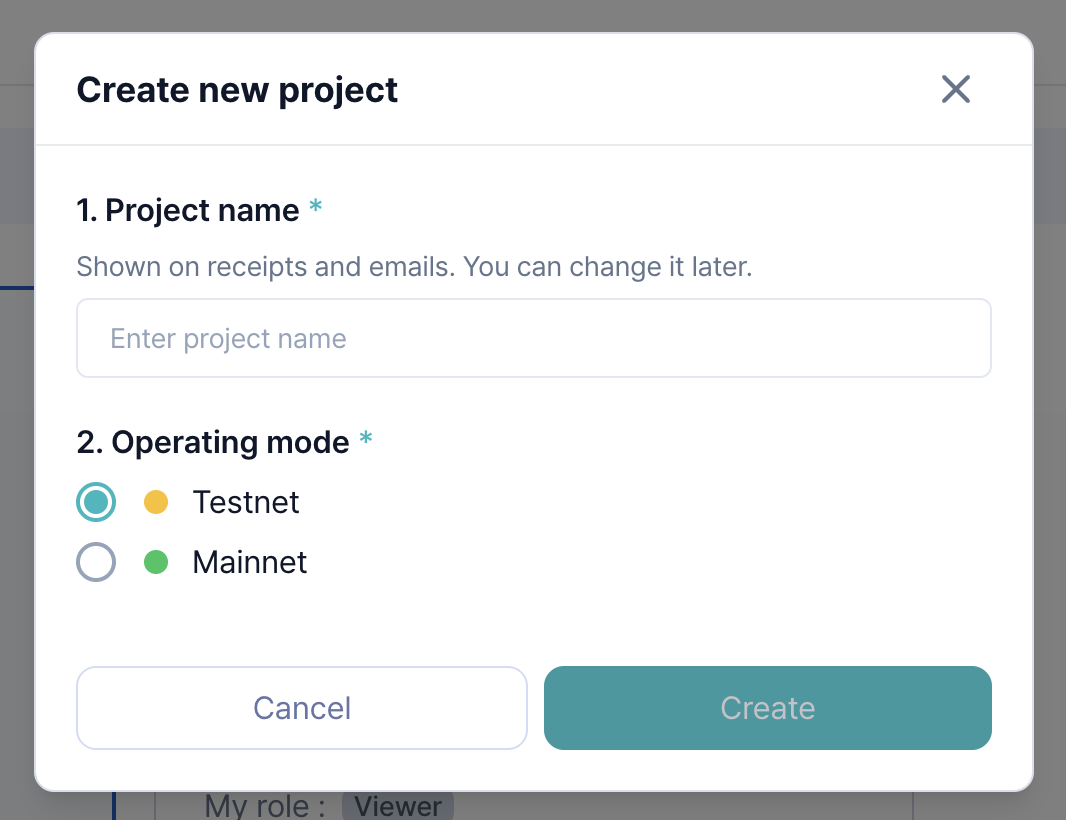
- You can select a network based on your project's purpose.
- Testnet - Projects using testnet
- Mainnet - Projects using mainnet