2.3 Payment Setup
1. Wallet Creation
-
After entering your project, create wallets via the banner at the top of the home screen.

-
Wallets are created with a single click, and wallets for all networks supported by OOZOO PAY are automatically created.
-
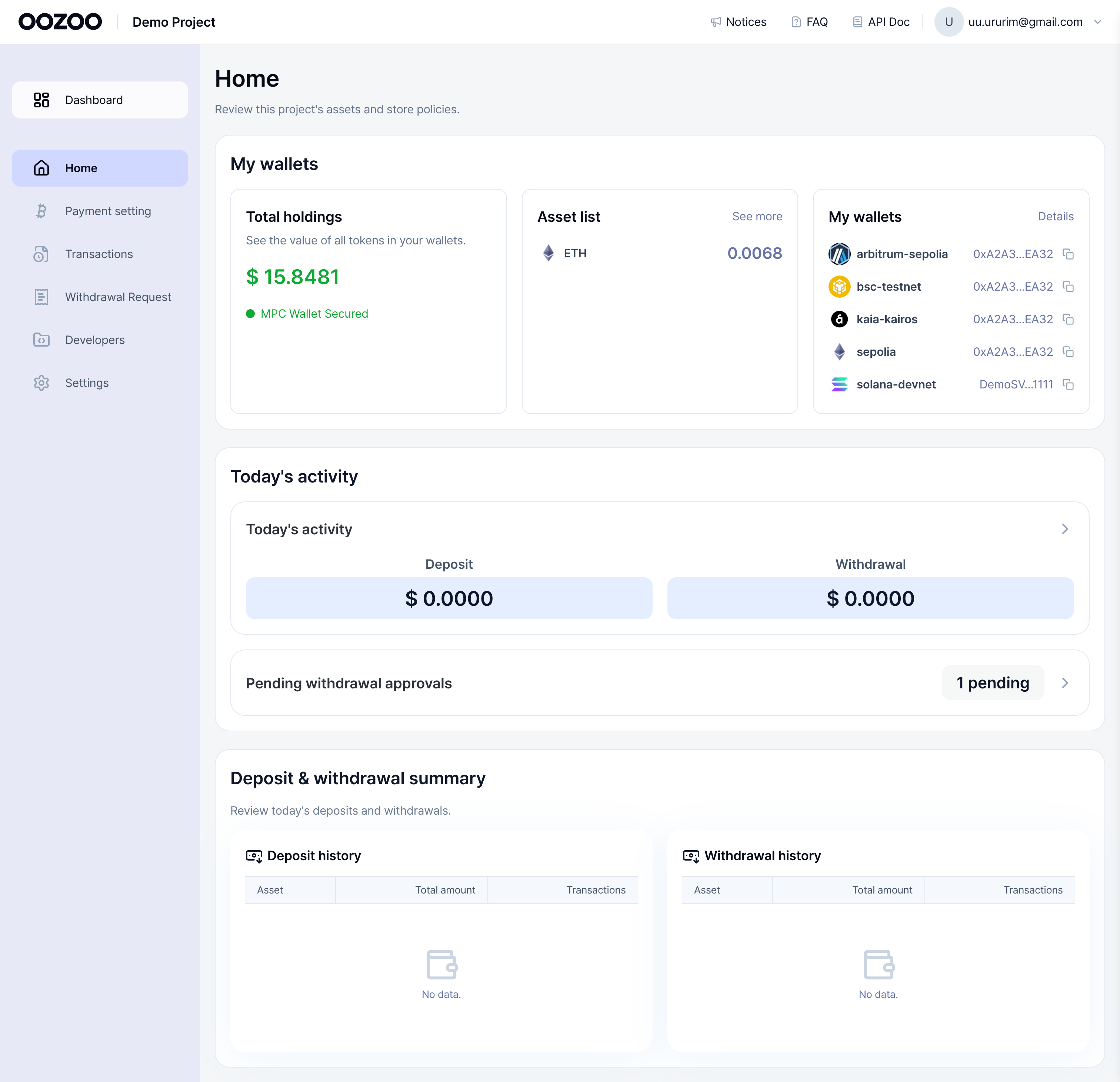
After wallet creation, when transactions occur, you can view them in a summarized screen.
- Total assets held by the wallet and assets by token
- Total transaction amount for today
- Today's deposit/withdrawal transactions
2. Wallet Management
-
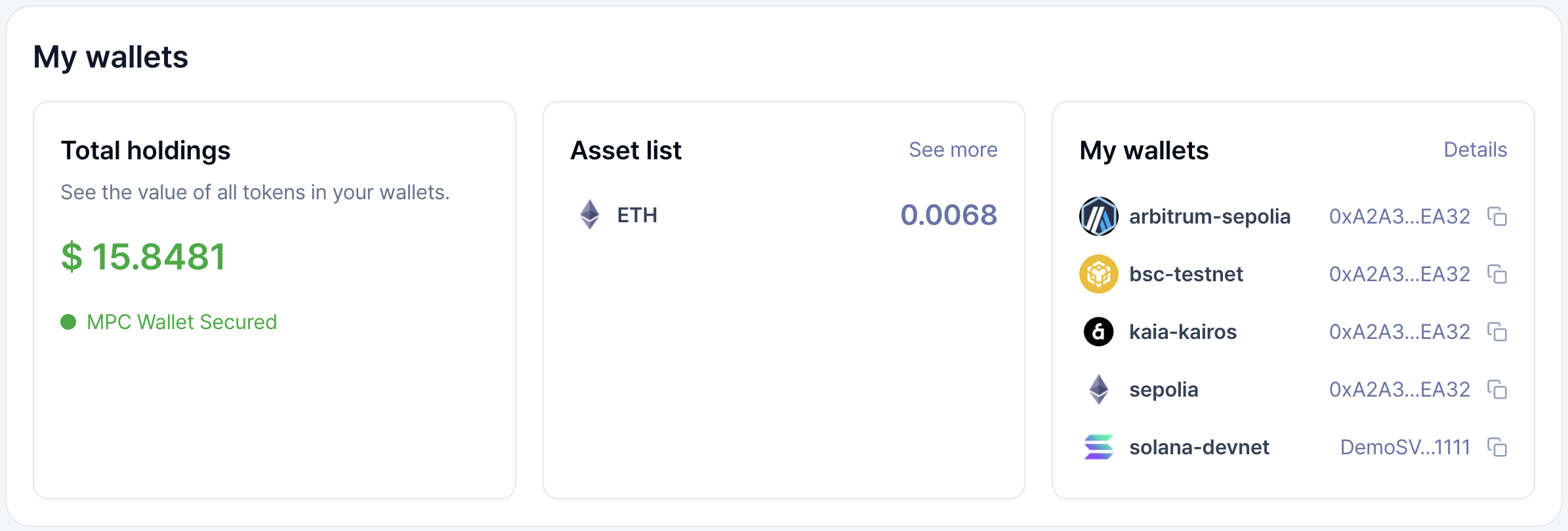
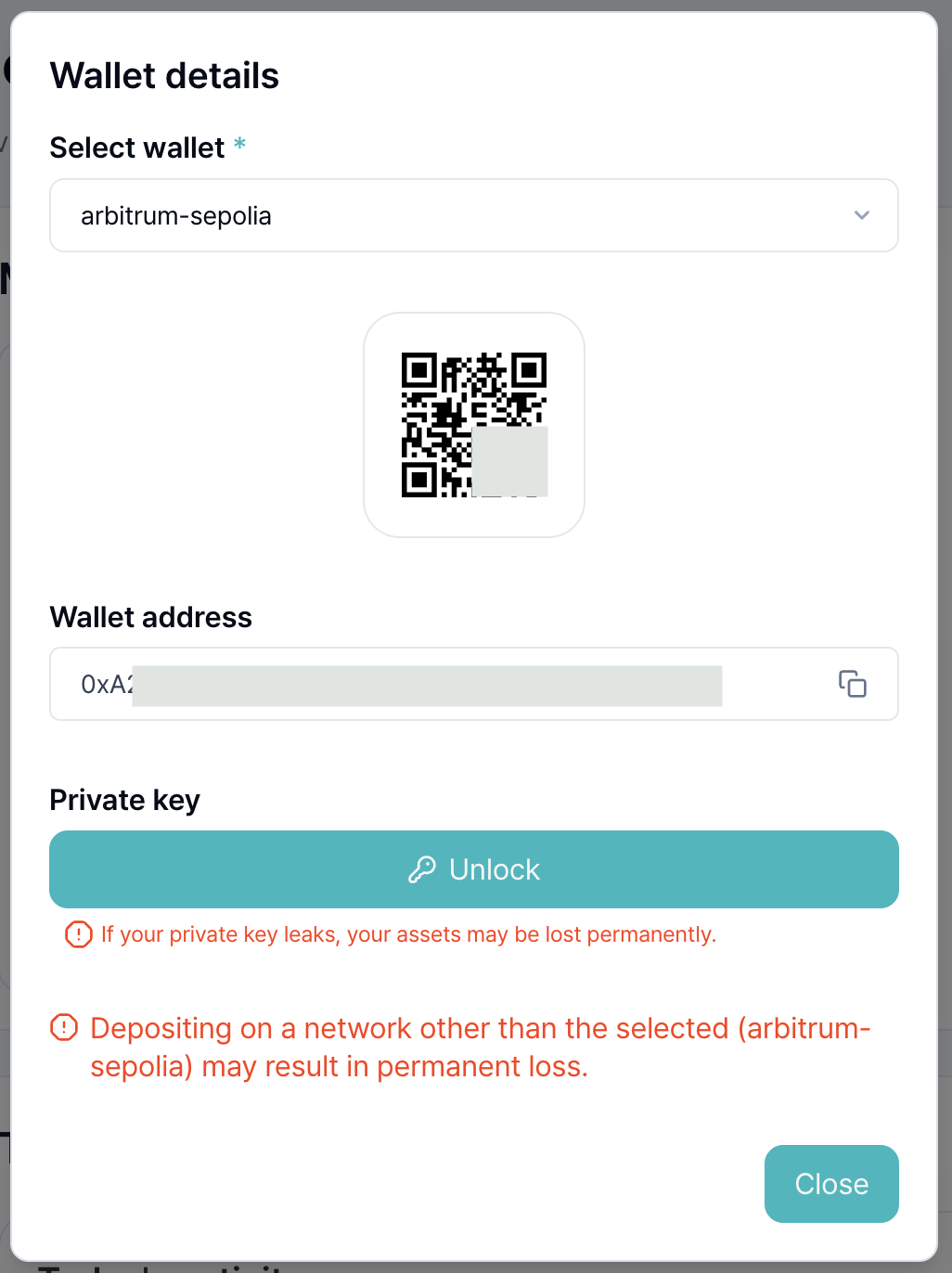
You can view wallet addresses and private keys for each network on the wallet detail screen.
-
Wallets provided by OOZOO PAY are created through Privy (https://www.privy.io/).
-
The provided wallets are MPC wallets that apply the latest cryptographic technology to distribute and store wallet keys in multiple pieces.
-
These are non-custodial wallets that are 100% owned by the user.
-
OOZOO PAY does not store user passwords or access credentials (authentication methods) on OOZOO PAY servers.
-
If you lose information linked to your wallet, OOZOO PAY cannot recover the wallet or retrieve assets.
Please handle information storage and security with care.
3. Payment setting
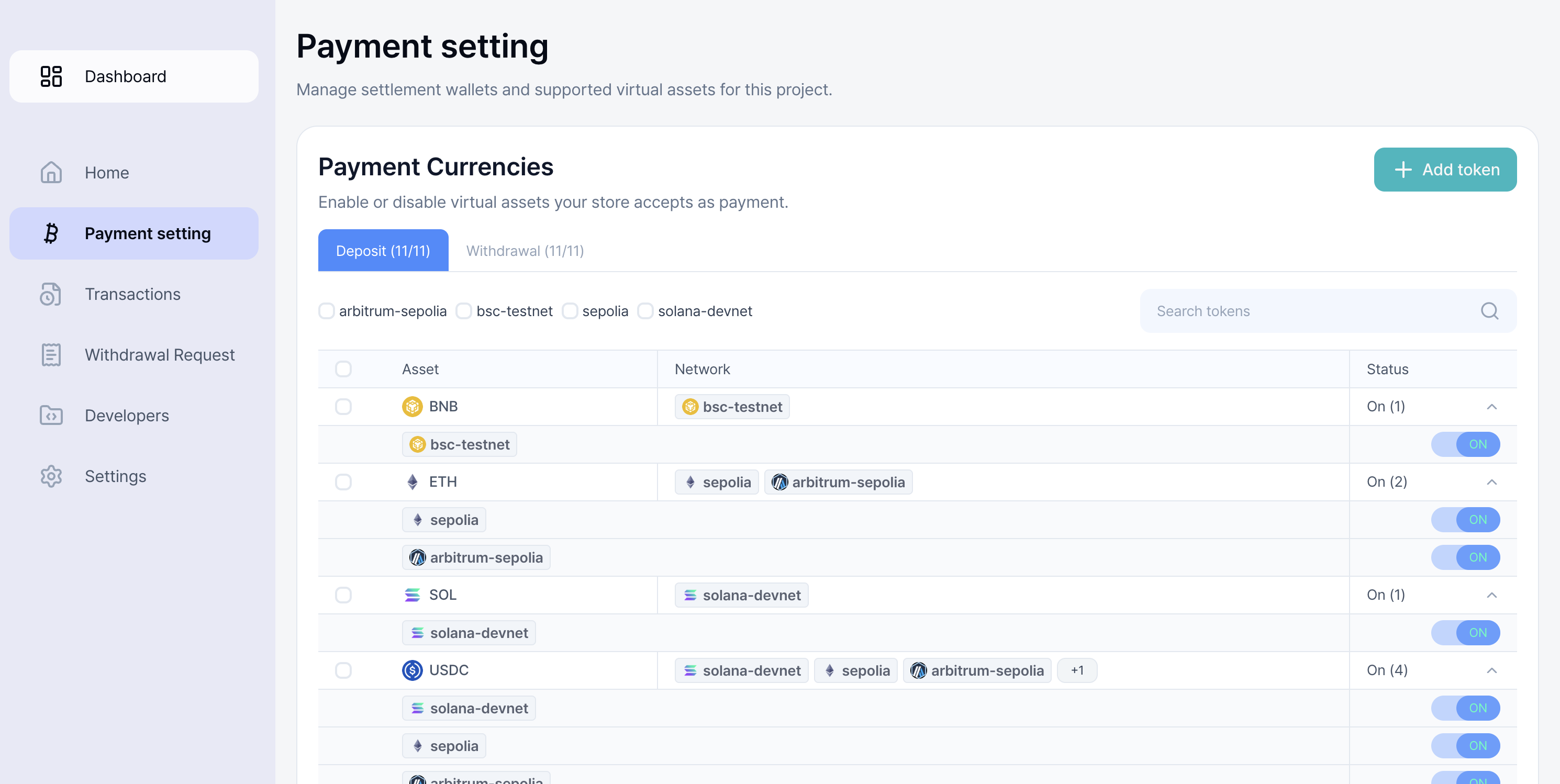
- You can configure cryptocurrencies for deposit/withdrawal services separately for your project.
- Customers can only pay with activated cryptocurrencies in the project.
- Global cryptocurrencies usable in projects are supported, with individual activation per token/network.